
Consolidating offices doesn’t have to mean losing control of your mail: a centralized virtual mailroom lets enterprises replace scattered, manual mail handling with one secure address, automated workflows, and full visibility across every location.
A virtual mailbox is a service that gives your business a real physical street address where mail is received, scanned, and managed digitally. It helps eliminate the challenges that traditional mailrooms create during office consolidations, including missed mail and forwarding gaps.
Switching to a virtual mailroom for enterprise doesn’t just simplify consolidation, it also reduces the cost of mail and automates repetitive processes to save you time. Discover how to consolidate corporate mail across locations with a centralized virtual mailroom.
Key takeaways
- Corporate consolidation often leads to missed physical mail, which can result in delayed cash flow, compliance risks, and friction with customers and partners.
- Virtual mailrooms receive your mail at one centralized address and digitize the entire process — from routing documents to depositing checks and forwarding physical mail.
- Switching to a centralized mailroom solution eliminates the overhead associated with physical mail, including staffing, mail storage, and mail equipment.
- When choosing a virtual mailbox provider, it’s important to consider your mail volume, types of mail you receive, and your compliance needs.
- Stable offers flexible virtual mailbox plans with encryption and SOC 2 compliance, with a HIPAA BAA available on Stable’s Custom plan.
Corporate consolidations & the hidden costs of physical mail
Businesses face many challenges when closing or consolidating offices, from disposing of furniture to migrating IT infrastructure. With all these responsibilities, mail is often an afterthought. The truth is that missed mail can create significant operational risks for businesses.
When an office closes, you can no longer receive mail at that location. Forwarding gaps often occur due to change of address processing delays, which results in missed mail until your address has been changed. This missed mail can result in missed deadlines, compliance exposure, and delayed cash flow.
Distributed mailrooms are an option for managing mail after office consolidation, but they come with significant costs. Aside from staffing and facility costs, distributed mailrooms often lead to inconsistent processes and a lack of visibility across locations. These problems grow as companies scale or downsize their real estate presence. Mail has to be routed through centralized hubs, and courier costs may increase as your mail has to travel a longer distance.
What is a virtual mailroom?
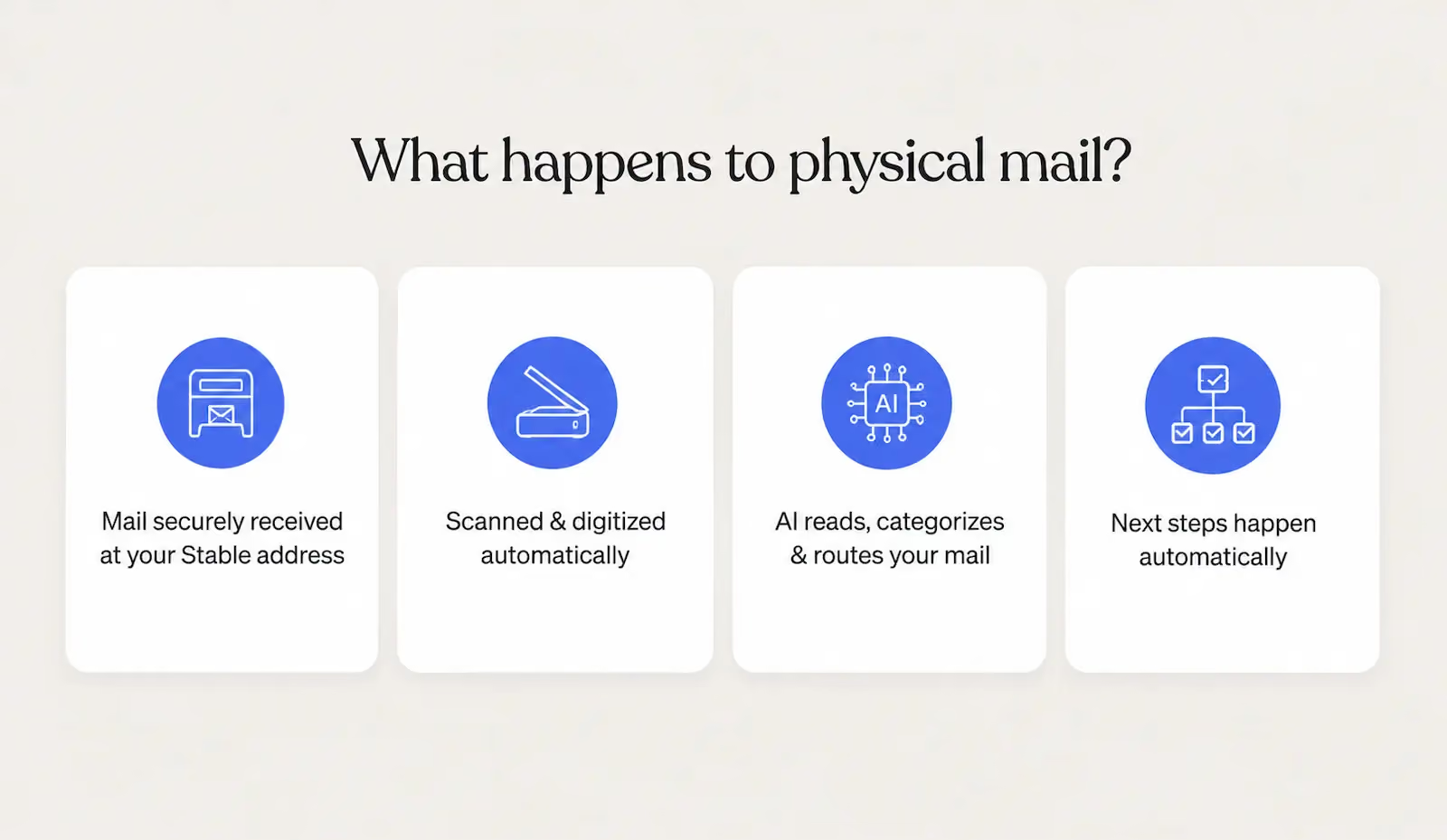
A virtual mailroom is a digital mail management solution that receives incoming mail at a centralized location, scans it, and processes it for you. Your virtual address acts as the address for your Stable virtual mailroom, providing you with a real physical address you can put on file with the IRS, state agencies, and vendors — including for business formation and incorporation. This is different from registered agent service, which specifically handles legal service of process and official state correspondence, and is available as a separate add-on. Stable provides both.
After your mail begins arriving at your virtual address, it's scanned and made available in your virtual mailbox. Instead of sorting paper by hand, your team can review, route, forward, or securely dispose of mail from one centralized dashboard.
Switching to a virtual mailroom allows you to use one address and one centralized dashboard across multiple locations, reducing mail handling costs and delays.
Other benefits of switching to a centralized mailroom solution include:
- Automation: Virtual mailrooms allow you to automate repetitive tasks like routing mail to the appropriate team or categorizing mail based on its contents.
- Electronic check deposit: Stable allows you to make electronic check deposits from your virtual mailbox. Stable sets up a holding account where checks are deposited, then the money is transferred to your bank account.
- Forwarding: If you want to receive important physical mail items like packages, you can request to have them forwarded from your virtual mailroom to another address.
- Shredding: Stable holds your mail for 30 days before it is queued to be shredded, but you can request secure shredding of sensitive documents at any time.
- Role-based access: Stable allows you to set up role-based access so teams only have access to the mail they need to see.
What are the cost savings of switching to a centralized mailroom model?
Switching to a centralized mailroom model can result in significant cost savings according to case studies. When Darwin Homes switched to Stable, they reduced mail processing time by 90% and cut mail costs by 50%. Farmer's Business Network eliminated lost and delayed mail and cut hours of weekly manual mail sorting, while Andros saved more than 20 hours a month managing mail with Stable.
Maintaining a physical mailroom comes with significant costs that can be reduced or eliminated by switching to a virtual mailroom:
- Mailroom staffing
- Mail equipment
- P.O. Boxes
- Storage
- Compliance issues
How to transition to a centralized virtual mailroom
Transitioning from a physical mailroom to a centralized virtual mailroom is relatively simple, but it’s important to choose the right provider. Security and reliability are essential in virtual mailrooms, and choosing the wrong provider can result in major operational disruptions.
Step 1: Audit your current mail volume and types
Before you choose a virtual mailbox provider, you need to audit your current mail volume and types to choose the right provider. Virtual mailbox providers typically have mail volume limits based on the plan you choose, so it’s important to understand how much mail you receive on average.
Auditing the types of mail you’re receiving helps you choose the right provider and plan based on your mail processing needs. For example, Stable offers custom virtual mailbox plans that include a HIPAA BAA.
Step 2: Choose a virtual mailbox provider
The next step is choosing a virtual mailbox provider that offers the services you need. Stable allows you to choose between different plans based on your budget and needs, with features like API and webhook support, AI summaries, and a permanent street address.
As part of this process, you'll need to submit a business change of address to ensure mail is routed to your virtual mailbox.
In addition to virtual mailbox services, Stable also offers registered agent services. When closing or consolidating offices, it’s smart to have a registered agent for compliance and a virtual mailbox for operations. With Stable, you can get both services from one provider.
Step 3: Set up mail forwarding
Most business mail can be managed digitally, but some items still need to be handled in person. When you need the original document, a package, or another physical item, you can request that it be forwarded from your virtual mailbox to any address.
With Stable, you can request physical forwarding for individual mail items at any time, or create automation rules that automatically forward specific types of mail based on your workflow.
Step 4: Configure automations and team access
Configuring your virtual mailbox allows you to customize automations and team access. You can invite new team members using their name and email address. Each team member can be assigned to a custom team you create, such as Finance, Legal, or Operations.
To configure automations, navigate to Settings and select Automations. You can use automation rules to automate mail scanning, forwarding, routing, and electronic check deposits.
You can also use webhooks and APIs to integrate Stable with third-party tools, or set up our native Slack integration if you have the Scale or Custom plan.
Step 5: Retire physical mailroom infrastructure
Now that you’ve finished setting up your virtual mailbox, you can retire your physical mailroom infrastructure. You no longer need a dedicated mail storage room or staff, and you can dispose of the filing cabinets.
You can continue to customize and configure your virtual mailbox over time with Stable. Stable allows you to add users at any time for an additional fee, and you can contact our sales team if you ever need to switch to a custom plan with more features.
Security, compliance, and audit trails: What enterprise ops teams need to know
Enterprise businesses face many challenges when closing or consolidating offices, including compliance risks and delayed cash flow resulting from missed mail. Virtual mailboxes provide a secure, modern alternative to physical mail, helping to simplify consolidation.
Stable was made with security in mind, protecting your mail through encryption, SOC 2 security standards, and HIPAA compliance. Role-based access controls allow you to ensure sensitive mail is routed to the right teams, and audit logs provide visibility into who acted on every piece of mail. Stable also offers registered agent services, so you can fulfill your registered agent obligations across states.
FAQs
What happens to a company’s mail when it consolidates or closes an office?
When a company consolidates or closes an office, mail sent to that address can be delayed, returned, or missed entirely until it's redirected. That creates risks ranging from missed compliance notices and legal documents to delayed payments and interrupted business operations.
What is the difference between virtual mailboxes and P.O. boxes?
While both services let you receive mail, a virtual mailbox is designed for businesses that want to manage mail digitally. Mail is received at a real street address, scanned, and made available online, with options for forwarding, check deposit, and automation. A P.O. Box is simply a mailbox at a local post office where mail must be collected in person.
How do virtual mailrooms ensure data privacy and compliance?
Virtual mailrooms follow strict security standards and use encryption to ensure privacy and compliance. Stable is SOC 2 compliant, HIPAA compliant, and uses encryption and role-based access to protect sensitive documents.
How can I reduce physical mail volume during corporate office downsizing?
A virtual mailbox won't reduce the amount of business mail you receive, but it will reduce the amount of physical mail your team has to process. Incoming mail is scanned and managed digitally, while junk mail can be filtered and only the items you need in hand are forwarded.
How long does it take to migrate from a physical mailroom to a virtual one?
Migrating from a physical mailroom to a virtual mailroom typically takes 7–10 days including the activation of USPS forwarding. Stable makes it easy to switch to a Stable address with our AI-powered change of address process.
Mail is the last piece of the consolidation puzzle: Stable solves it
Consolidating or closing offices creates a mail gap that virtual mailrooms close. With Stable, you can receive your mail at a centralized address to simplify managing mail during office closures.
Stable makes setting up your virtual mailbox simple, and you can significantly reduce processing time with features like automations and free junk mail filtering. Get started with Stable or talk to our sales team to learn more about our plans and pricing.