
Product updates
Subscribe to Stable product updates
Stay up to date on product improvements, operational changes, company news, and more.

Automatic Check Deposits and Other Improvements
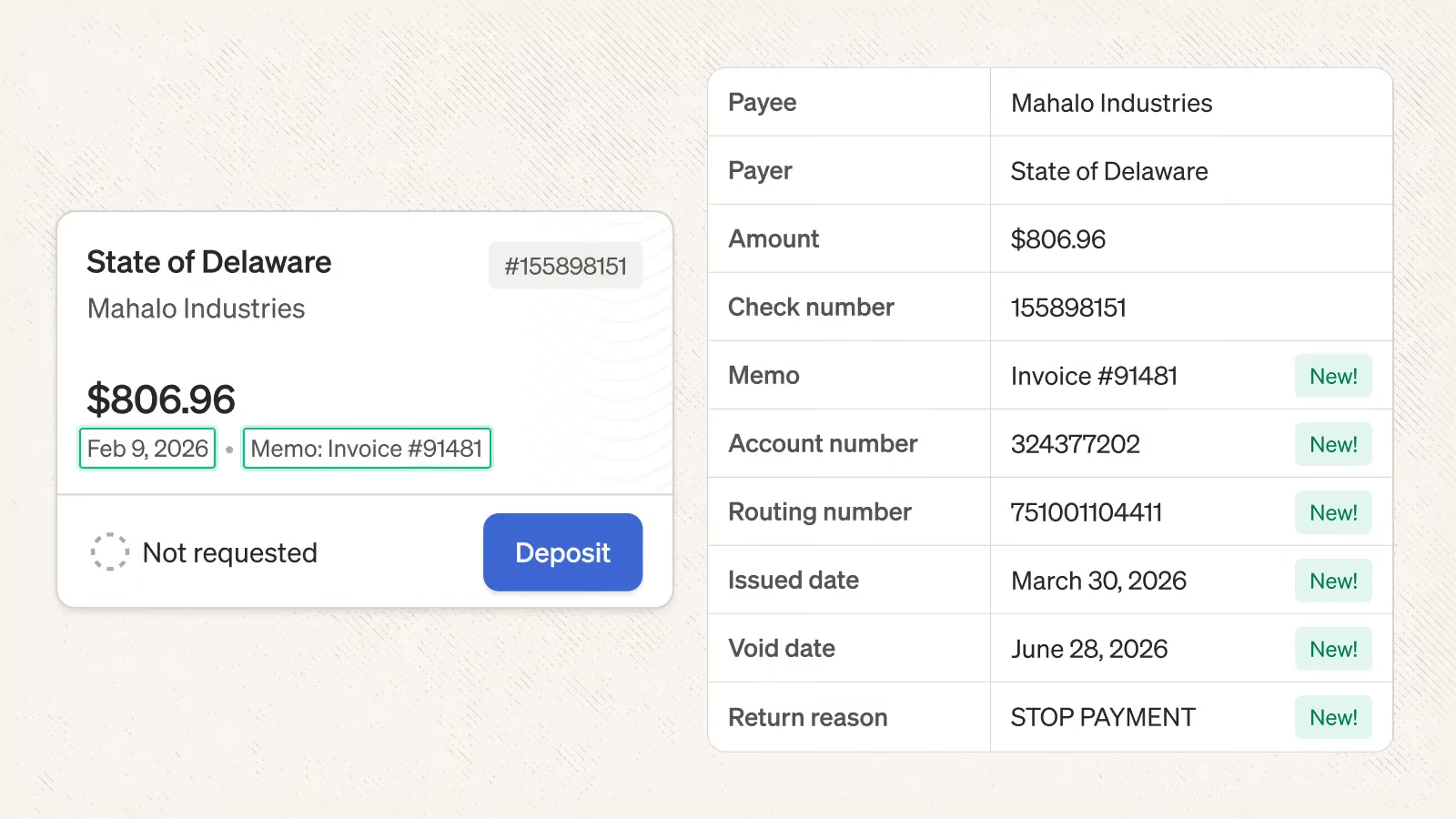
You can now automate check deposits using routing rules. When a check is detected, define conditions and deposits will happen automatically whenever there's a match.
For example, you could now
- Automatically deposit all checks for a specific company and then assign them to the Finance team
- Automatically deposit all checks with “Rent” in the document scan to your main bank account; deposit all remaining checks to your auxiliary bank account
To get started, create a routing rule, select the Check(s) Detected trigger, and add the Deposit action.
Check data
We now automatically extract issue date, void date, memo, account number, routing number, and return reason from checks. These fields have been added to the dashboard + Checks view CSV export. We also updated our API + Webhooks to expose this data.
Check filters
The Checks view now support amount filtering. Use these filters to more quickly find the specific checks that you’re looking for!
Companies View
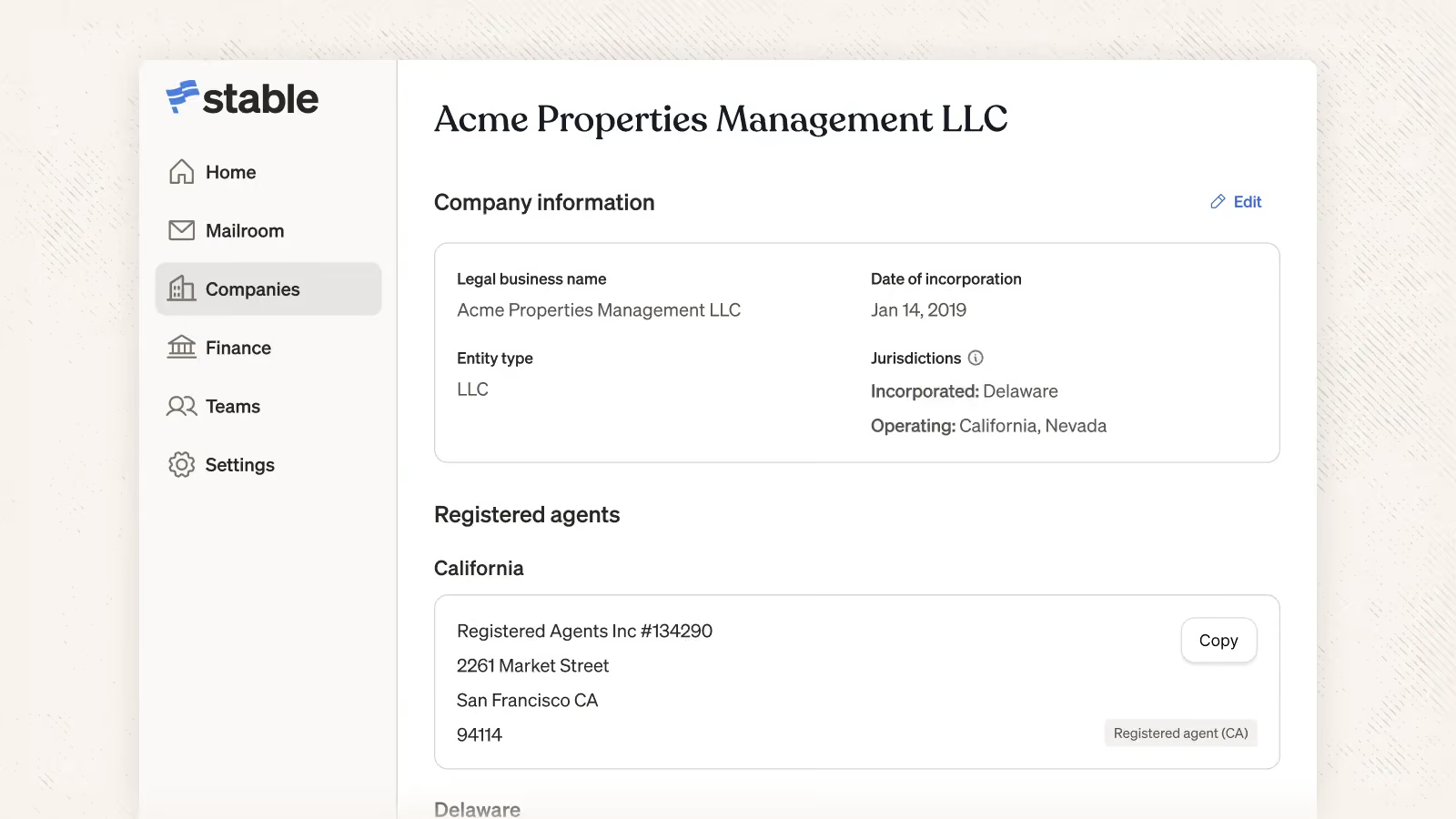
You can now manage company information directly in Stable (link). Add details like where you're incorporated, which jurisdictions you operate in, or your entity type, and Stable will show you exactly where you may be missing registered agent coverage. If you add a registered agent through Stable we’ll handle mail management for that address as well.
This is a simple way to stay on top of your compliance needs across jurisdictions, all from the same dashboard where you manage your business mail. We will continue to improve the companies view to help you easily understand and act on outstanding compliance tasks across the different jurisdictions where you operate.
Return To Sender: Filters, Automations, APIs, and Webhooks
.avif)
It is now easier to find and manage Return to Sender mail: you can filter for any mail identified by our systems as “Return to Sender”. You can also create mailroom automations and utilize our webhooks +API to automatically send mail marked as “Return to Sender” to the right place.
Data Extraction Improvements
We're continuing to work with a handful of customers on data extraction workflows and we shipped a few improvements as a result
- Our PDF viewer now highlights extracted data in yellow to enable quick visual verification
- Request extraction customization directly in the UI
If you're interested in trying out data extraction please contact your Customer Success Manager!
Long-term mail storage (alpha) is now available at all locations
We recently introduced the ability to store mail for longer than our standard 30-day period. We now support this functionality at all of our locations.
Check deposit destination is now available in the API and webhooks
You can now access check deposit destination details directly via the Stable API. The Check object includes a new destinationAccount field showing the account name, last 4 digits of the account number, and deposit type — making it easy to programmatically reconcile deposits across multiple bank accounts without manual lookups or CSV exports. See our API documentation for more details.
Mailroom Automations: Share via Email + Multi-Action Support
.webp)
We’ve introduced two updates to mailroom automations:
- Share via Email action. Use this action to automatically email stakeholders a PDF of document scans based on conditions you set
- Multi-action support. Combine multiple actions together to create workflows tailored your organization
Combined together, you could now support automations like
- When a check is received, tag it as Accounts Receivable, assign it to the Finance team, and then email your Head of Finance
- When a document scan contains “1099” assign it to HR and email it your HR team with a custom message
- When an envelope for “Operations” is received, automatically email that document scan to Zapier or n8n to trigger downstream workflows
Registered Agents Are Available in All 50 States
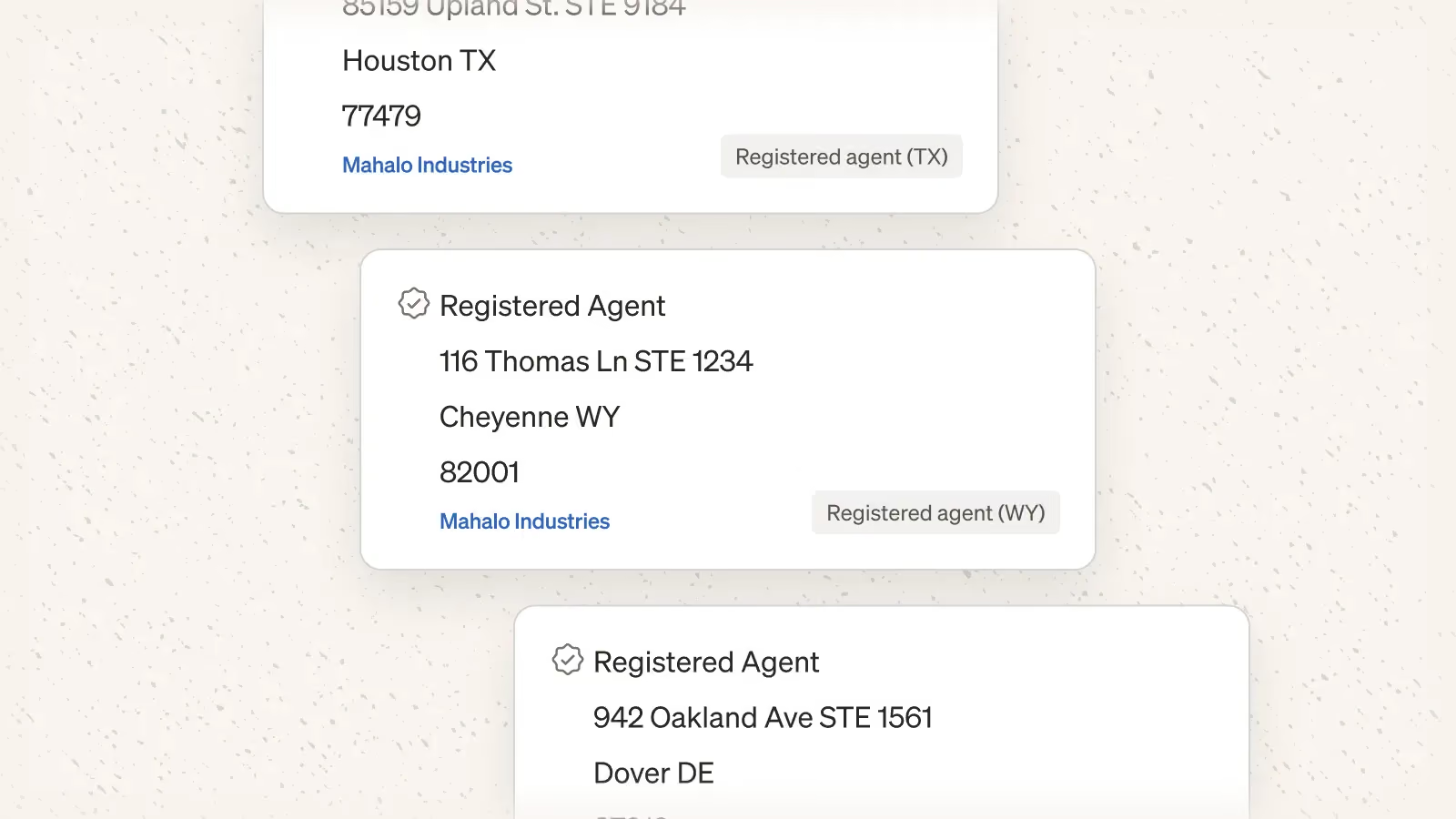
We have expanded our registered agent service to Wyoming which means we now service all 50 States, DC, and Puerto Rico! If you’d like Stable to act as your registered agent you can start here.
In addition to national coverage, we also added the ability to add a registered agent during signup.
Share Links for Electronic Check Deposit Onboarding
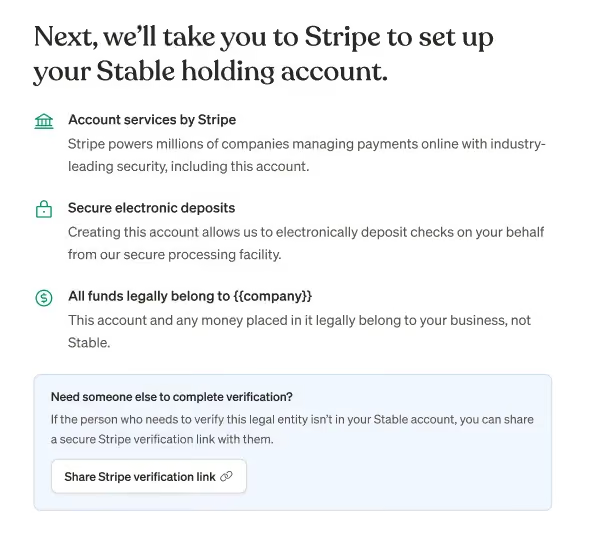
You can now invite any authorized employee to complete the Stripe verification process for Electronic Check Deposits — no Stable Dashboard access required. This flow will allow company officers and other team members who don't typically login to Stable to seamlessly complete verification. Just share a secure link and get verified faster.
Data Extraction Filters
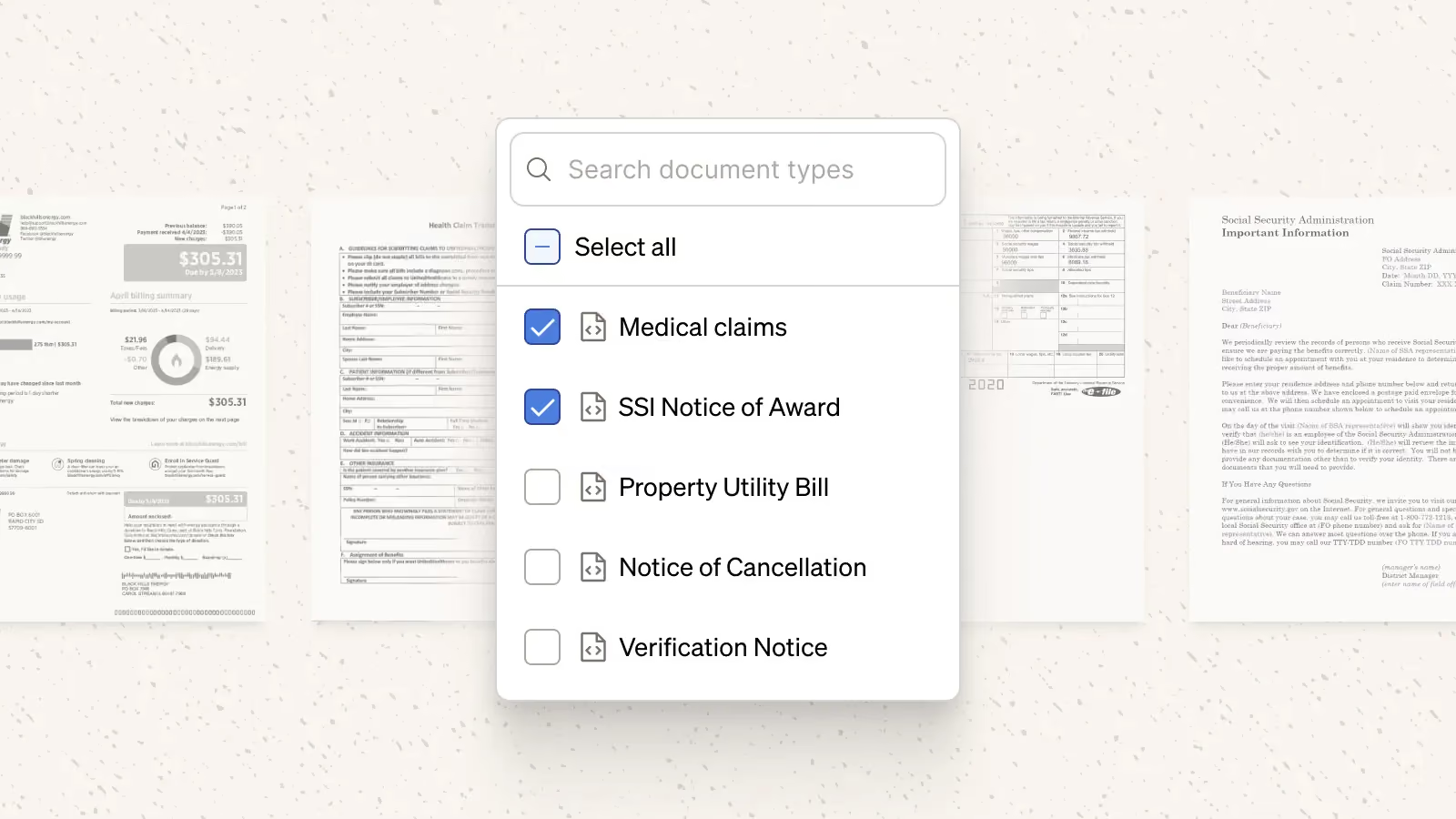
A new filter called "document types" is now available for customers using data extraction. In addition to the new filter, mail item cards will now include the document type just like tags/teams for a helpful at-a-glance view. If you'd access to AI document categorization or AI data extraction please reach out at priority@usestable.com!
Mail Deliverability
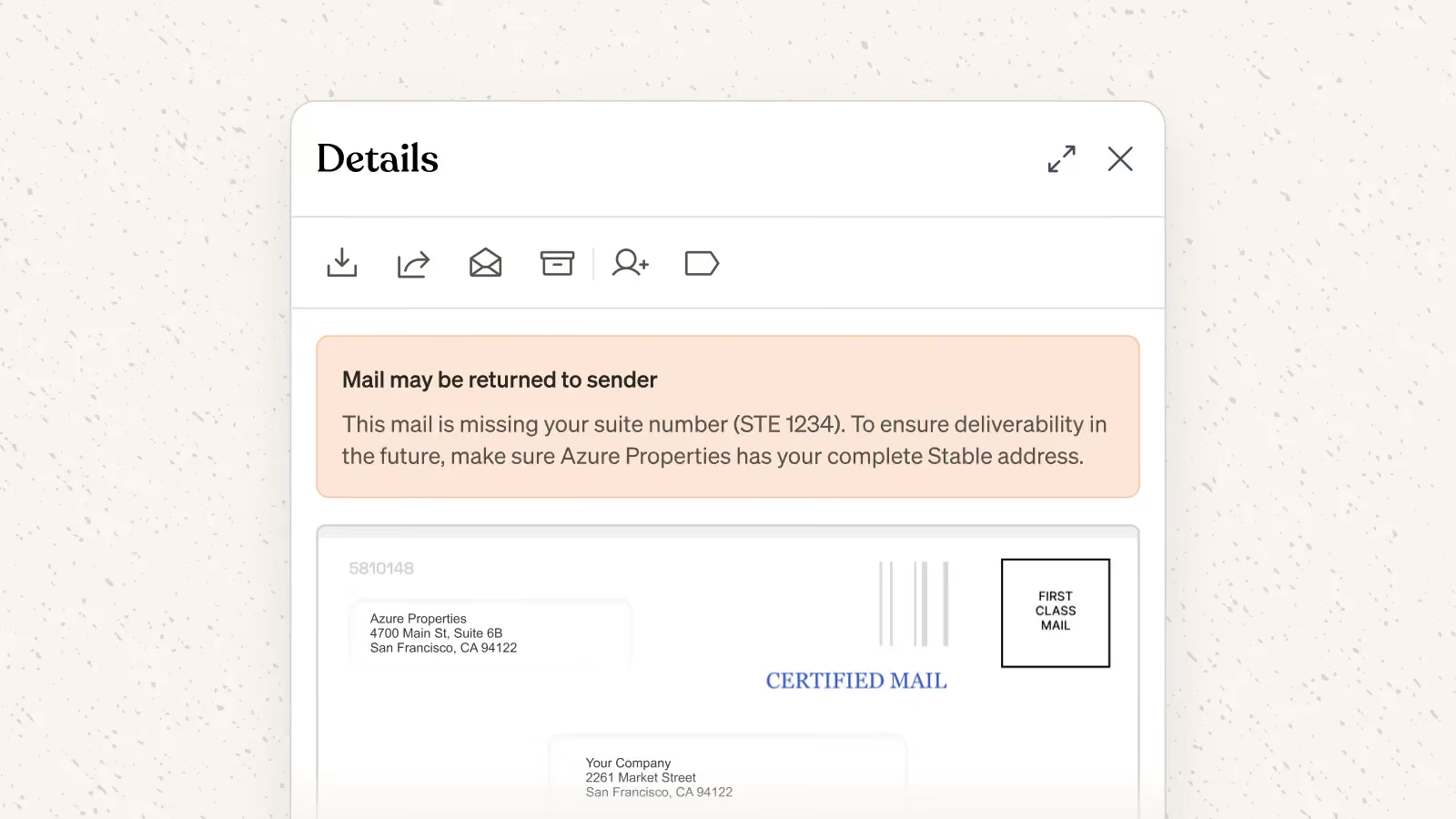
We have improved the systems and algorithms we use to get you your mail quickly and accurately. For example, we shipped dashboard prompts to make it more clear when you need to ask your vendors to update your address information, optimized our STE issuing system, and more.