
Product updates
Subscribe to Stable product updates
Stay up to date on product improvements, operational changes, company news, and more.

Improved Mailroom Search
.webp)
We’ve significantly improved our mailroom search to help you find your mail faster. For example, you may notice:
- Search results feel more relevant
- Search now indexes every page within your piece of mail
- Search results feel faster
Give search a try and let us know what you think!
Addresses Page
We’ve also introduced a new addresses page! Use this page to to see and manage every Stable address associated with your account. If you click into a specific Address Details page you’ll also be able to see any outstanding onboarding tasks, so it's easier to understand what still needs your attention.
Other Releases
- Reopen USPS 1583 forms after submission
- Tag management improvements
-
Registered Agent API
.webp)
Stable now supports full Company and Registered Agent management through our REST API. Create a company, assign it to a jurisdiction, and provision a registered agent location, all in a few API calls (docs here).
A Registered Agent location is the address at which Stable, acting as a registered agent, accepts service of process and official state mail on behalf of one of your companies in a single US jurisdiction. Registered Agents are typically required in every state or territory where your legal entity is operating.
What's new:
- Company endpoints: create, list, get, update, and deactivate (
/v1/companies) - Registered Agent (RA) location endpoints: create and deactivate
GET /v1/locationsreturns RA locations alongside CMRA locations- Input validation for EIN format, jurisdiction requirements, and WY-specific fields
- Pending status with polling support for async RA provisioning
Redesigned Companies Page
We redesigned the companies page and introduced a few small improvements
- EIN and State entity ID storage
- Bulk dismiss Registered Agent creation tasks
- New tab view for jurisdiction and entity information sections
Change of Address
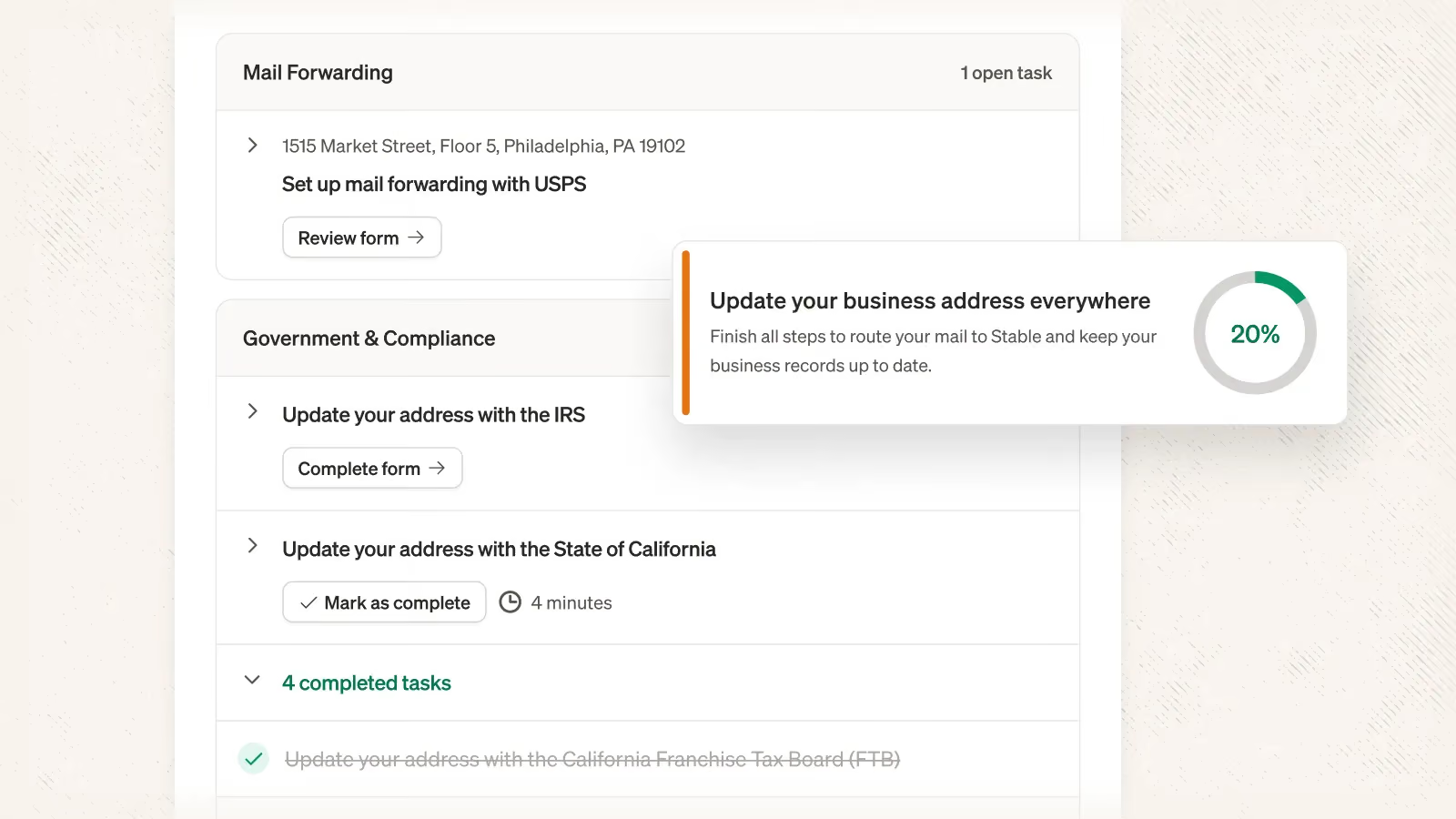
This month we rebuilt our Change of Address process from scratch with the goal of making it simpler and faster to transition all of your previous business address over to Stable.
Now when you add a new address to Stable we’ll walk you through transitioning your address directly in product
- You share your previous business addresses
- You share the companies you’d like to transition to Stable
- We generate customized tasks, prefilled forms, and detailed instructions on how to set up USPS mail forwarding, update your vendors, and inform the IRS of your address change
Give it a try and let us know what you think!
Rescan Internal Documents
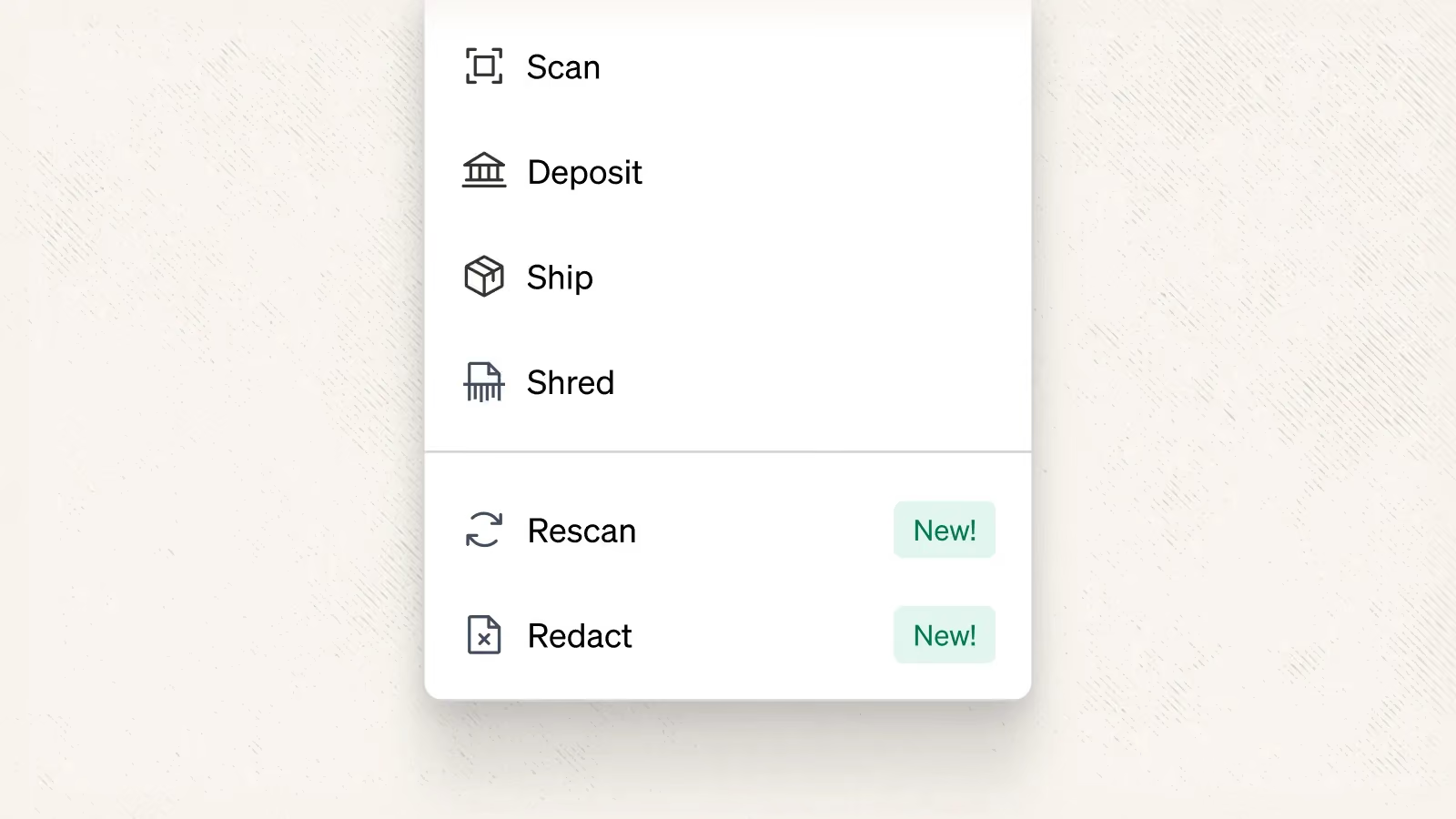
We track, measure, and are continuously investing in the quality of our document scans, but sometimes we make mistakes. In the past, if a scan had an issue the only way to request it be rescanned was through email.
Moving forward you’ll be able to request document rescans directly from the dashboard, and share a bit more context on what the issue is so we can quickly make it right.
Redact Internal Documents
Sometimes internal document scans contain sensitive information that you may not want others to see. In the past, the only way to request this information be redacted was through email. Moving forward you’ll be able to redact document scans directly from the dashboard.
Team Management and Mail Assignment via API
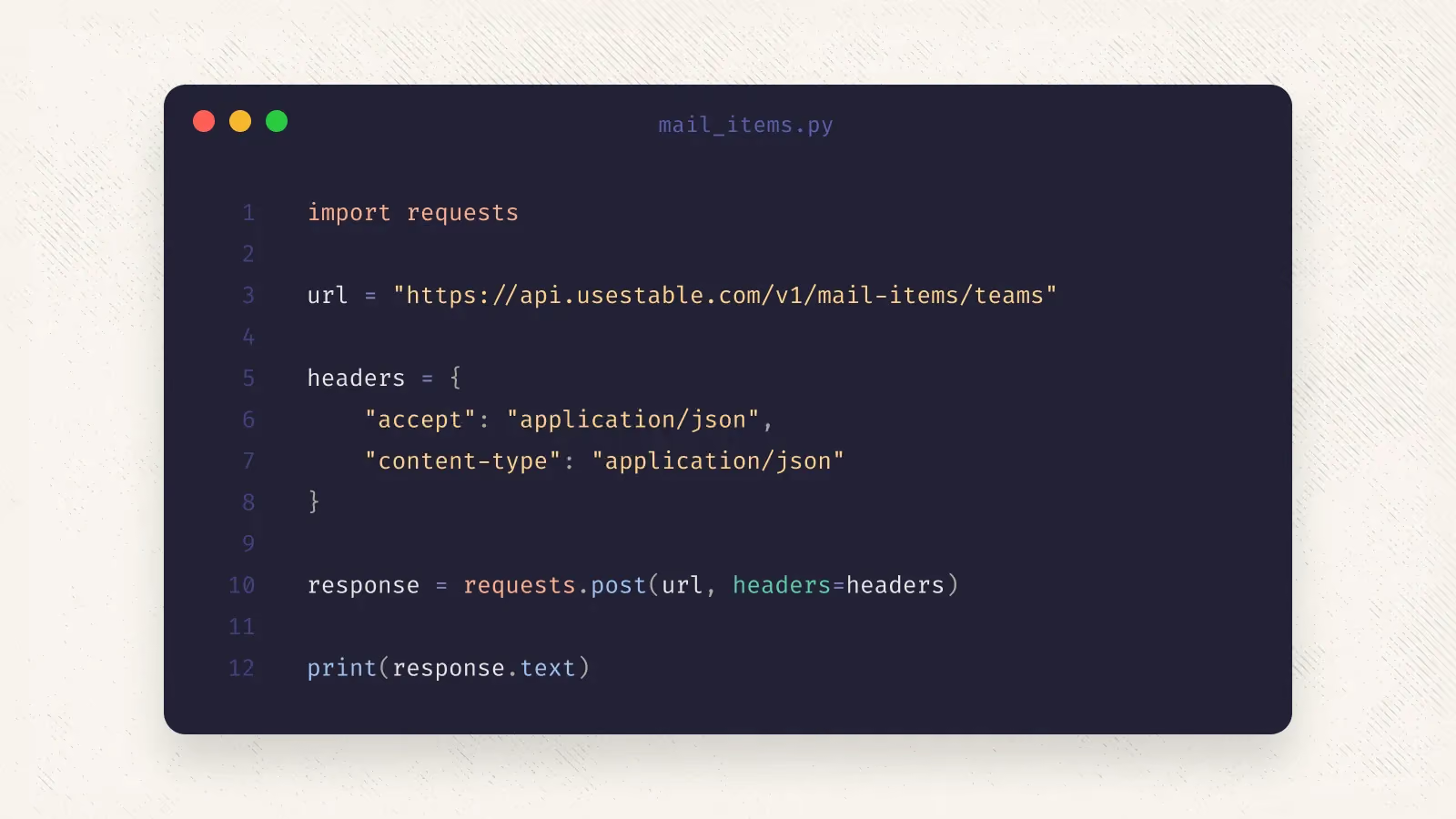
You can now use our API to manage teams and mail assignment
- Create, read, update, and delete teams
- Assign mail to teams
Check out our docs and let us know what you think!
Cropped Check Images via API
You can now access cropped check images via API + Webhook (docs here). Specifically, we will surface both the cropped check image as well as the entire page associated with the check.
Notes
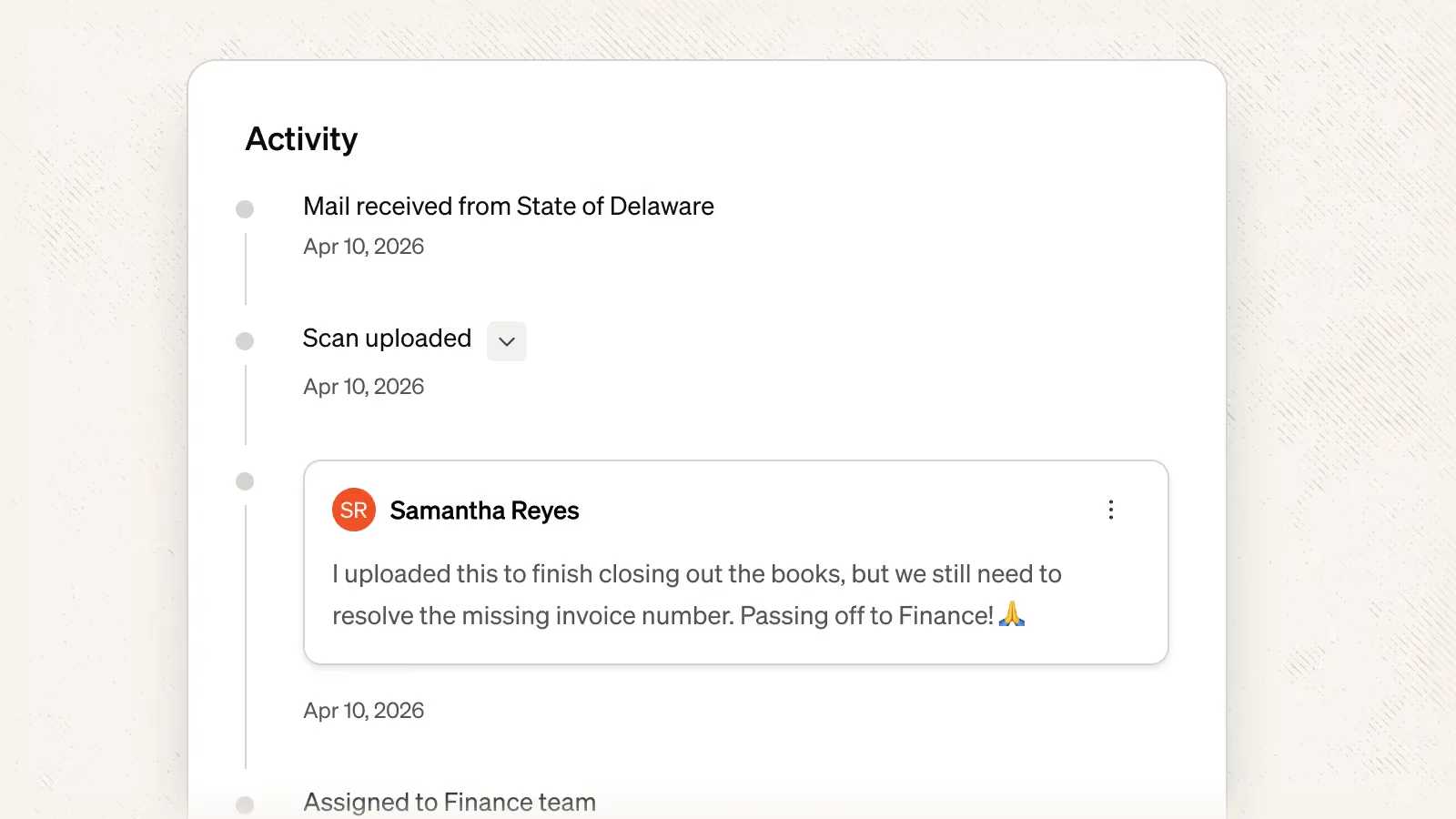
You can now add notes directly to mail items. Notes empower your team members to work directly within your mailroom to share context, take action, and bring items to resolution more quickly.
You can add a note by scrolling to the bottom of the activity log when viewing a piece of mail.
Tagging via API + Webhooks
We've updated our API + Webhooks to support creating, updating, deleting and assigning tags.